Tools & Resources
Task Managers I've Tried and What Actually Stuck
I've tried the fancy task managers. Most failed for the same boring reason: the app was cleaner than my decisions.
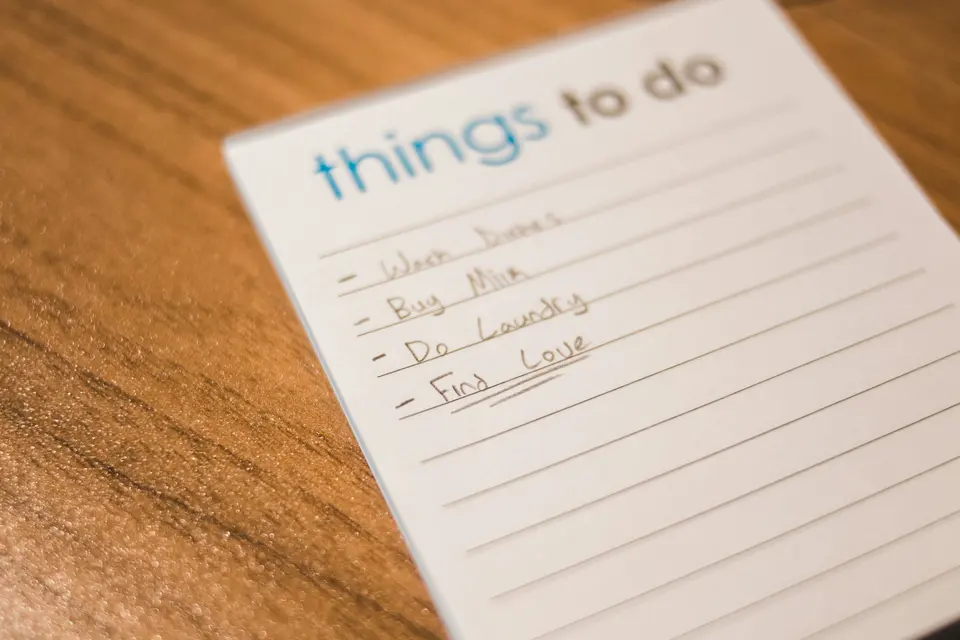
I used to think the right task manager would fix me.
Cute.
I tried Todoist. Things. TickTick. Notion. OmniFocus. Plain text files. Paper. Calendar blocks. Half a dozen clever setups that looked responsible for about twelve minutes.
The pattern was embarrassing.
I would find a new app.
I would build the perfect system.
I would add every task, idea, project, reminder, fantasy, guilt item, and fake future version of myself into it.
Then the app would become a landfill with notifications.
The problem was not the task manager.
The problem was that I was asking a task manager to do decision work I refused to do.
Task managers do not create clarity
A task manager is a container.
That is it.
If you pour muddy thinking into a clean app, you get organized mud.
Most people do this:
- Put tasks in it.
- Put ideas in it.
- Put reminders in it.
- Put someday dreams in it.
- Put emotional guilt in it.
- Put “I should really…” nonsense in it.
Then they wonder why opening the app feels like getting yelled at by a spreadsheet.
The move: before you choose a task manager, decide what counts as a task.
Not everything deserves to enter the system.
A real task has a verb.
Bad: “Newsletter.”
Better: “Draft the newsletter intro.”
Bad: “Website.”
Better: “Fix the pricing page headline.”
Bad: “Get life together.”
Please do not put that in Todoist. Todoist has suffered enough.
If your list already looks swollen, the deeper fix is in why your to-do list is making you less productive. Read that before you install another app with a soothing onboarding screen.
What stuck from each app
Here is the useful part.
Not “which task manager is best.”
That question is a trap.
The better question is:
What did each tool teach me about how I actually work?
Todoist taught me capture is dangerous
Todoist is powerful.
Too powerful, if you are the kind of person who mistakes capturing for doing.
I built projects. Labels. Filters. Recurring tasks. Priority levels.
It looked like an adult lived there.
Three weeks later, I had 60 tasks and no appetite to open the app.
The lesson: easy capture needs hard review.
If an app lets you throw anything into it instantly, you need a ruthless weekly cleanup. Otherwise you are not building a system. You are composting anxiety.
Things taught me beauty is not workflow
Things feels lovely.
That is part of the danger.
I opened it because it looked calm. I rearranged tasks because the interface made rearranging feel productive. I admired my list like it was a tiny museum of postponed responsibility.
The lesson: beautiful tools can hide bad decisions.
Do not ask, “Do I like using this app?”
Ask, “Do I finish more work because of this app?”
Different question. Ruder question. Better question.
TickTick taught me power needs boundaries
TickTick came closest.
It has tasks, reminders, habit tracking, calendar views, and enough knobs to keep a productivity person entertained for a dangerous amount of time.
I still use it, but with rules.
I do not put today’s work there.
I use it for future deadlines, recurring maintenance, and projects that are more than a week away.
The lesson: a good app needs a narrow job.
One app can hold the long view.
Another place can hold today’s fight.
Trying to make one tool run your whole brain is how the brain files a complaint.
Plain text taught me the brutal truth
My best stretch came from two boring files:
today.txtsomeday.txt
No tags.
No colors.
No productivity cosplay.
Every morning I opened today.txt, wrote three priorities, and worked.
That was it.
It worked because there was nowhere to hide.
No dashboard. No clever filter. No “reorganize the system” escape hatch.
Just the work.
If this sounds too plain, good. Plain survives bad weeks.
My current task system
I use a boring two-layer setup now.
Layer 1: the long shelf
This is where projects, deadlines, recurring admin, and future obligations live.
For me, that is TickTick.
For you, it could be Todoist, Things, Apple Reminders, Google Tasks, or a notebook with suspicious coffee stains.
The tool matters less than the rule.
This layer is not where today’s work happens.
It is storage.
It is the shelf.
You check the shelf. You do not live on the shelf.
Layer 2: today’s tiny battlefield
This is where the day happens.
For me, it is a text file.
Every morning:
- I look at the long shelf.
- I choose the few things that actually matter today.
- I write them in the daily file.
- I close the shelf.
The daily file is not allowed to become a second long shelf.
Three priorities.
Maybe a few small admin scraps.
Done.
If you need a tighter daily focus setup, focus systems for productivity is the better next step. A task manager helps only after you know what deserves focus.
How to choose a task manager without wasting months
Use this seven-day test.
Not a cute test.
A real week.
The kind where someone messages you at the wrong time, one task gets weird, and your plans start making small cracking sounds.
Test 1: Can you add a task in five seconds?
If capture is slow, you will avoid it.
But if capture is too easy, you will dump garbage into it.
So the rule is:
fast capture, strict review.
Both.
Not one.
Test 2: Can you see today’s work without seeing your whole life?
This is where many task managers fail.
They show you everything.
Everything is not helpful. Everything is noise wearing a blazer.
You need one view that answers:
What do I do next?
If the app cannot answer that quickly, it is not a daily tool. It is project storage.
Test 3: Does it recover after neglect?
Miss two days.
On purpose.
Then open it.
Does the system help you recover, or does it make you feel like a disappointing employee in your own life?
Good systems forgive neglect.
Bad systems punish it.
Real life will interrupt you. Choose tools that know that.
Test 4: Does it make you organize instead of work?
This one hurts.
If you keep changing labels, colors, sections, filters, and views, the app may be giving you a delicious fake-work playground.
Stop.
Pick one structure and do work inside it for a week.
If the urge to redesign the system gets loud, that is information. You may be avoiding the work, not improving the workflow.
Stop collecting tools and start wiring systems goes harder on this, because tool-hopping can look very responsible while quietly eating your year.
The rule I trust now
The best task manager is the one that still works when you are tired.
Not inspired.
Not freshly caffeinated.
Not on day one of a new system.
Tired.
Behind.
Mildly annoyed.
If the tool still helps you choose the next real action, keep it.
If it needs a beautiful Sunday reset ritual before it becomes usable again, be suspicious.
Your task manager should not need you at your best.
It should help when you are very much not.
That is what finally stuck.
Advertisement